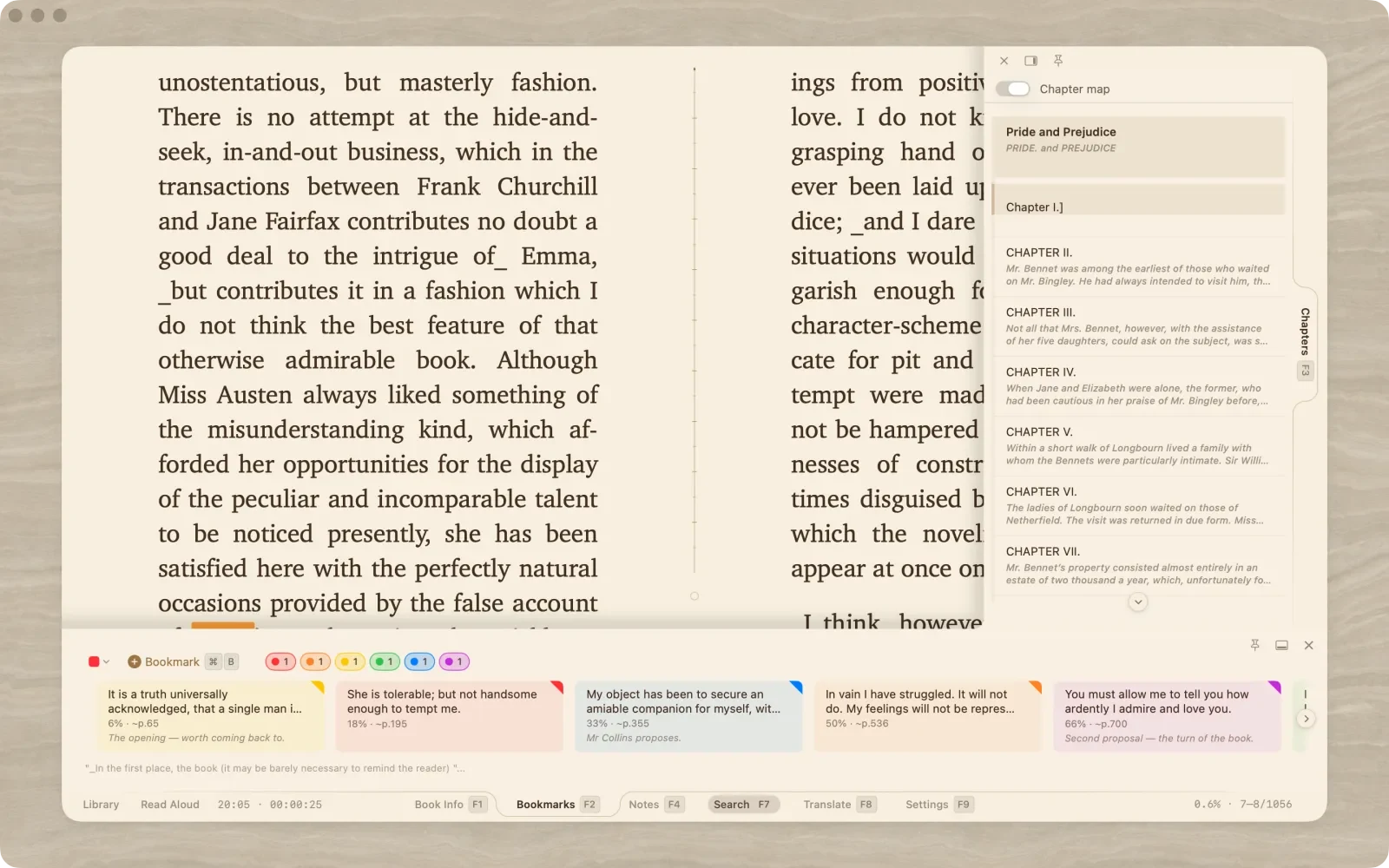
Panels go where you put them: bookmarks, notes, search, translation, chapters and pictures are panels now — dock any of them to any edge of the reader, float it, or hide it until you press its key. Ready-made layouts move every panel at once; pin a dock and the page keeps room for it.
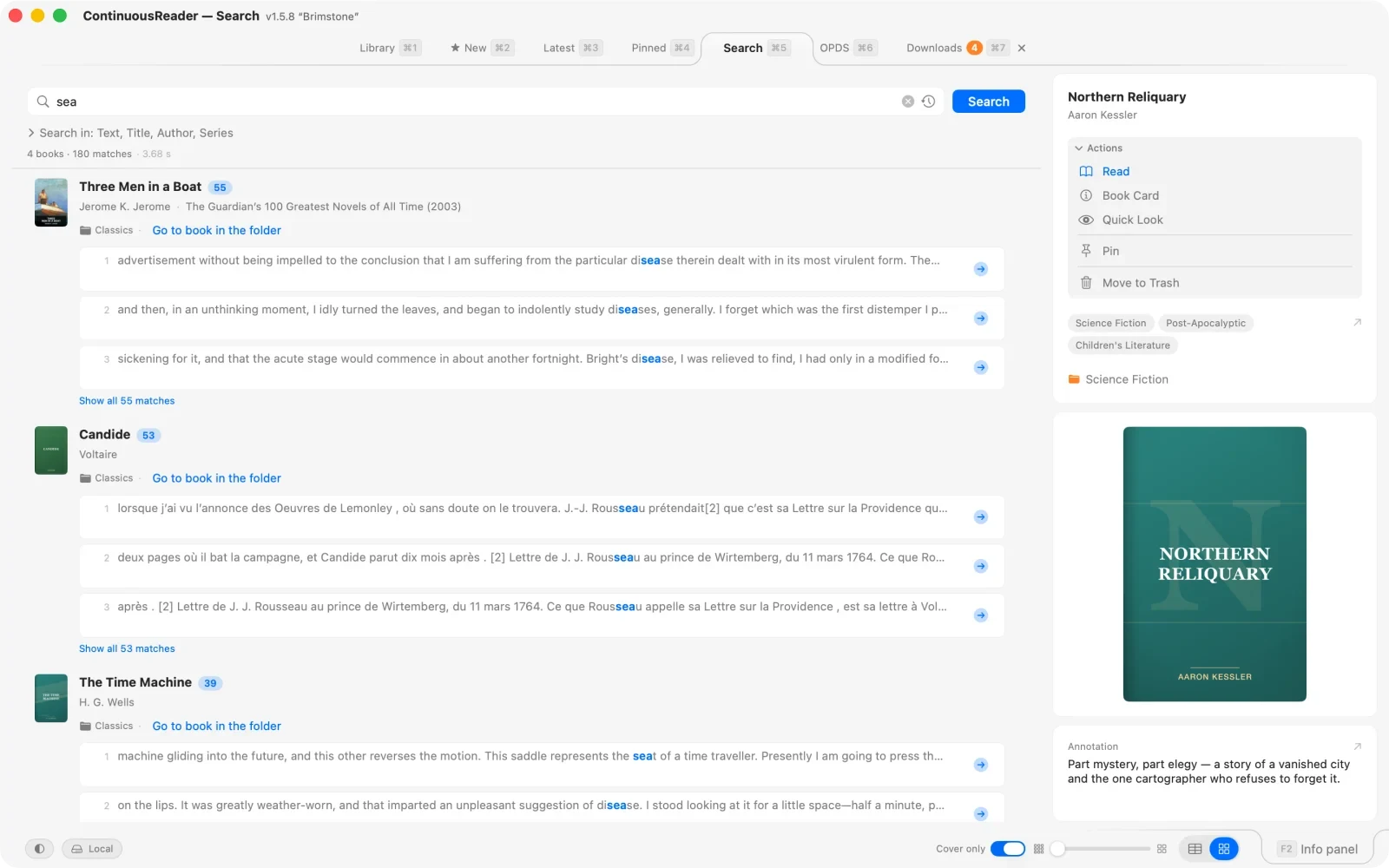
A separate Search tab in the library: search the whole library or from any folder, and jump to the book — or straight to the place in the text.
OPDS catalogs and watchers are library tabs now, with filters that reach into the books; a download basket takes a whole list of links and fetches them one after another, retrying after a dropped connection.
Chapters as a filmstrip, all the pictures at hand, search results as a numbered list with the hits on the page marked.
Your position, your way: a full progress line, just the percent, a segmented bar or a dial — and a look at the text before you jump, from the progress bar, a chapter or a bookmark.
iPhone: full-screen reading with active corners — settings at one, navigation at the other, as tiles — and a selection mode of its own along the top edge.
Folders and genres get management windows; a folder shows everything inside its subfolders as one list; the Trash remembers where things came from; tables fit the window.
Terminal and Typewriter have night versions; covers can take the reading theme’s colours; quick settings open as a panel with named sections.
PlainReader: a shelf with dividers — up to 999 books in named, coloured, foldable categories, beside the book or as the home page, selection and multi-file import, the whole shelf from the keyboard.
JustReader: chapters and bookmarks one tap from the cover; the same reader engine everywhere.
1.4 “Admiral”— August 13, 2026
Global search — find any phrase in any book you own: text, titles, authors, series, annotations. Results show highlighted snippets with hit counts, and the jump arrow opens the book right at the found place.
Go To — jump into a book at a chapter or bookmark straight from the library; books now carry their real table of contents instead of invented chapter numbers.
One Book Card on every device: it opens instantly even on image-heavy books, the gallery pages smoothly, and the Stats tab shows the book’s own reading history.
Mass import that shows its work: drop whole folders into a resizable window, see every candidate before a byte is written, duplicates marked in advance.
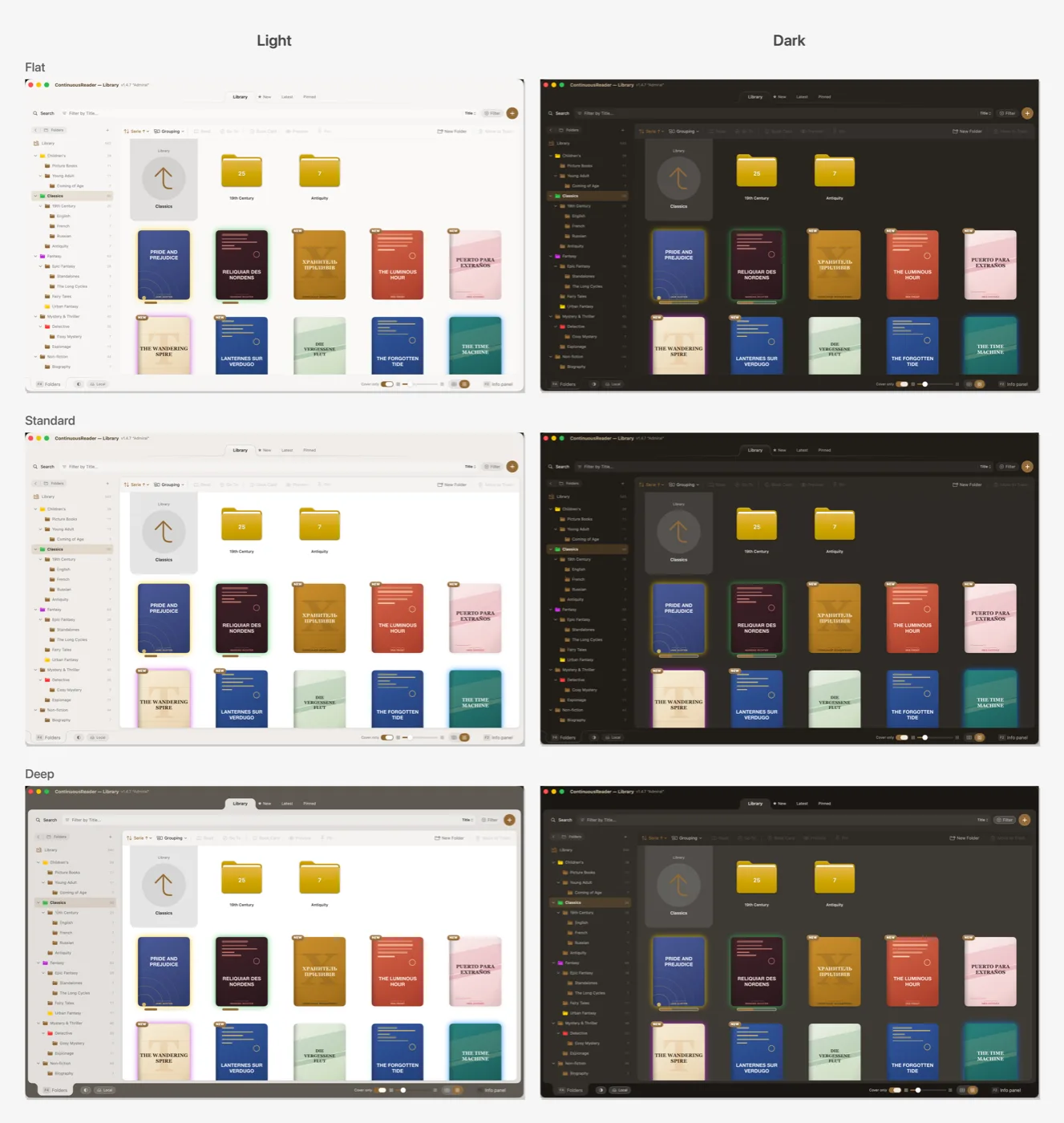
Interface depth — Flat, Standard, or Deep — plus your accent color in every window and sheet, now on the Mac as well.
Quick reader appearance everywhere: a floating panel you keep beside the page on the Mac, a full-screen surface on iPhone — no open book required.
The iPhone library, one tap deep: a dedicated search-and-filter button, a reachable Trash, folder management by swipes, a full-screen book card.
Sync you can see: the waiting curtain names the book and says how fresh the other device’s position is; the readers sheet lists every device with its live position.
JustReader: a full-fledged Settings screen, reading statistics, bookmarks and notes that survive re-imports, the Book Card, and chapter navigation right from home.
Fixes and polish throughout.
1.3 “Swallowtail”— July 31, 2026
Folders show up right among the books — first in the list and in the card grid, with their own colors and book counts; move a book into a folder by simply dragging it.
The iPhone library is rebuilt: reworked rows, separate buttons for folders, sorting, and filters, finger-friendly sheets.
iPad catches up with the Mac: a full settings screen, a status bar with the active view’s controls, adjustable sidebar folder size.
Views fit the screen: smooth card sizing, covers at every list detail level, control bars that adapt to the window width.
The whole app follows the hue of your reading theme — library and reader alike, on Mac, iPad, and iPhone.
A more responsive library: covers load in the background at the displayed size, large grids scroll without stutters, Mac context menus no longer close on their own.
JustReader: a new home screen — a round Read button wrapped in a progress gauge — plus a history of the last five books, each reopening on its page.
Fixes and polish throughout.
1.2 “Morpho”— July 29, 2026
Margins mode comes to iPad: the page floats as a sheet on a themed desk, with its own settings dialog and a fullscreen quick-menu entry.
Page turns on the margins: the desk around the page turns pages — forward on the right and bottom, back on the left and top.
Translation settings gain a language-pair picker; the selection menu leads there when the pair isn’t set.
Mark as Read clears the NEW badge without opening the book — for one book, a selection, or a whole folder.
Folder tree and per-folder counts on the New tab; subtler New markers on iPhone.
Fixes and polish throughout.
1.1 “Apollo”— July 15, 2026
OPDS Watchers dashboard — watch catalog feeds, check in the background, import new arrivals in one click, with an import log.
New badges and a New library tab collect books you haven’t started, with per-folder counts.
Margins mode on Mac: the page floats as a sheet on a themed desk — wood, leather, blueprint grids or your own wallpaper.
Illustrations match the theme: monochrome engravings blend into the page color, transparent line art stays transparent.
Cleaner card view: more air, a cover-only mode and reading progress on the card.
Native multi-select on Mac (⌘-click, ⇧-click, rubber-band) — dragging moves the whole selection.
Continue Reading: reopen your last book with one shortcut or pick up where another device left off.
Steadier sync: no more position rewinds after sleep; the Latest tab catches up in seconds.
A What’s New screen in the app, plus many fixes and polish.
1.0.1— July 8, 2026
Rock-solid two-page reading on iPad — stable across app switching and rotation.
Battery indicator and configurable status sections in fullscreen.
Fixed keyboard scrolling jitter with external keyboards.
Safer book imports and polish throughout.
1.0 “Monarch”— July 7, 2026
First public release: the library with folders and cards, the continuous reader with 41 themes, iCloud sync, OPDS catalogs, translation, Read Aloud and reading statistics — on Mac, iPad and iPhone.